Advertising on chatgpt like a Pro in just 5 steps (No Marketing Degree Required)
On this page
- Step 1: Why are you running a ChatGPT Ad in the first place?
- Step 2: Who should see your ChatGPT Ad? (without stalking the internet)
- Step 3: How do you create a ChatGPT Ad people actually want to click?
- Step 4: Set up your product feed
- Step 5: What should you do after launching your ChatGPT Ad campaign?
- Why Is OpenAI Introducing Advertising on ChatGPT?
Key Points
- Start with the right campaign objective: Choose Reach, Clicks, or Conversions based on what you want users to do.
- Target conversations, not just demographics: ChatGPT Ads use context and intent to show ads when they're relevant.
- Create creatives that fit naturally: Write headlines, descriptions, and landing pages that match the user's conversation.
- Keep your product feed accurate and updated: A well-structured catalog helps eligible products appear with the correct details.
- Launch, measure, and optimize: Use campaign insights to improve audiences, creatives, and performance over time.
ChatGPT Ads look familiar at first glance. There's a campaign, an ad group, a creative, and a launch button. Easy, right? Except this isn't Google Ads wearing a green hoodie. It's a completely different way of advertising because you're showing up inside conversations, not between Instagram Stories or YouTube videos. OpenAI's Ads Manager is designed around intent and context, not just keywords or demographics. That's what makes it exciting and slightly intimidating.
The good news? You don't need a marketing degree. You just need five decisions in the right order. Let's do this.
Step 1: Why are you running a ChatGPT Ad in the first place?
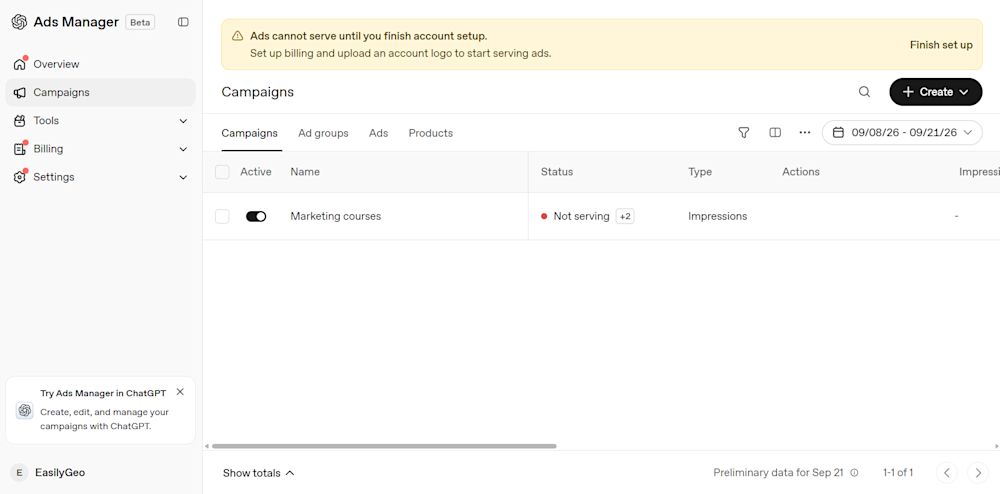
This is the part everyone wants to skip. You log in thinking, "I just want more customers." That's like walking into a restaurant and saying, "Food."
ChatGPT Ads asks you one simple question first: What's the goal?
Do you want people to know your brand exists? Visit your website? Fill out a form? Download your app? Every campaign starts with that choice, and it changes everything that follows. Instead of memorizing all three campaign objectives, think of them as three stages of one conversation:
"Hi, I'm here." (Reach)
"Come have a look." (Clicks)
"Let's make something happen." (Conversions)
If you're confused between Reach, Clicks, and Conversions, don't guess. We broke down each objective, when to use it, and how it changes your campaign strategy in our guide on Campaign Objectives.
Step 2: Who should see your ChatGPT Ad? (without stalking the internet)
Here's the fun twist.
ChatGPT doesn't ask you for fifty interest categories or a long keyword list, instead, it asks for context. Someone discussing skincare ingredients is in a different mindset than someone comparing accounting software or planning a Japan trip. Your ad appears when the conversation makes sense, not because someone liked three beauty influencers six months ago.
But what if you already know who your customers are?
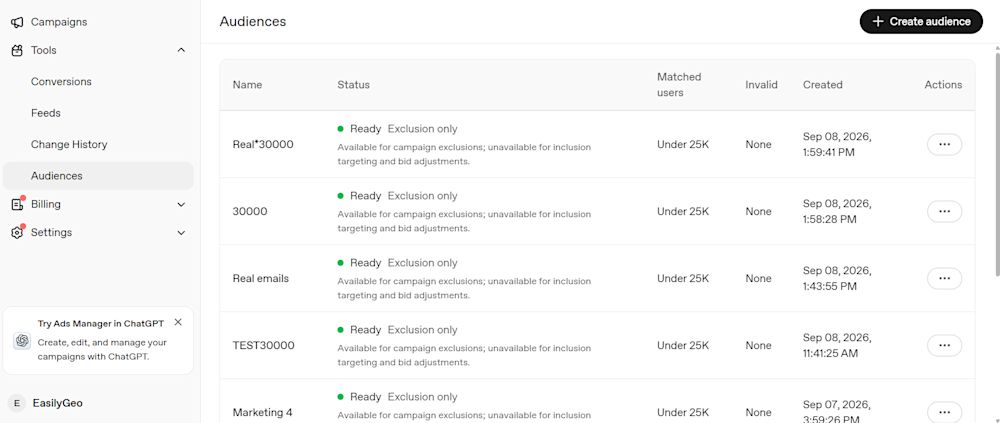
That's where Custom Audiences enter. Imagine inviting people who've already downloaded your guide, visited your pricing page, or attended your webinar. You're not introducing yourself from scratch anymore. You're continuing a conversation.
This is where most brands either waste budget or get surprisingly good results. For more guidance on customer lists, inclusion and exclusion audiences, and CSV formatting, see our chatGPT ads custom audiences guide.
Step 3: How do you create a ChatGPT Ad people actually want to click?
In ChatGPT Ads, the creative has one job: feel relevant to the conversation.
That means your:
Headline,
Description,
Image,
And landing page
need to feel like they belong there and not like they're interrupting someone who's asking for help. A travel ad during a conversation about "best honeymoon destinations"? Makes sense. A protein powder ad in the middle of a tax discussion? Not so much.
Context beats noise.
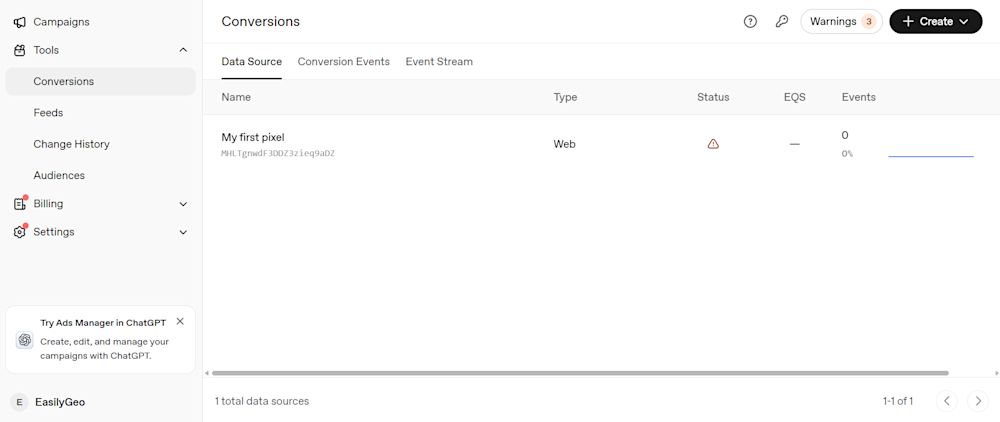
Paying attention to tiny things here, like landing page URLs and chatgpt ads context hints, because they're doing more work than most marketers realize. Before you spend even $1 on a conversion campaign, make sure your tracking is actually working. Our complete guide to chatGPT ads conversions explains Pixel ID, GTM setup, Event Stream, and how ChatGPT knows a click turned into a lead or purchase.
Step 4: Set up your product feed
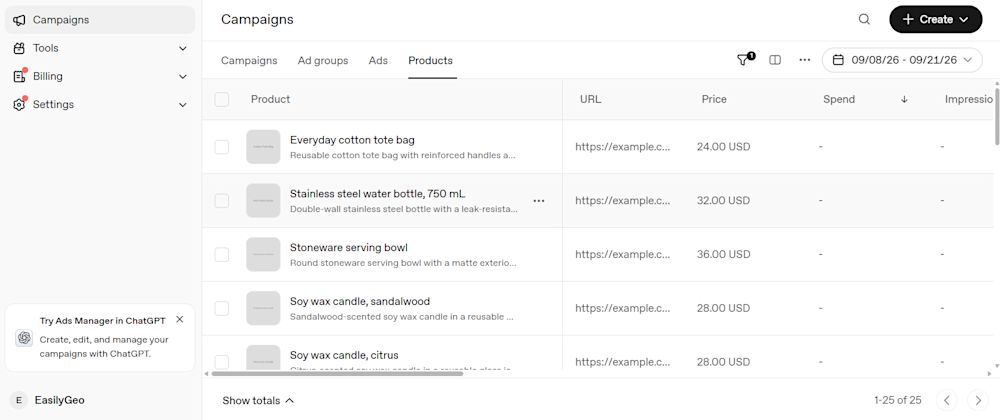
If you want to promote products through ChatGPT Ads, you need to provide Ads Manager with an accurate product catalog. This is done through the Feeds feature, which organizes important information such as product names, descriptions, prices, sale prices, images and availability.
You can then provide your product catalog by uploading a CSV or TXT file, connecting a hosted HTTPS URL or setting up an SFTP connection for automated updates. After submitting the catalog, complete the field-matching process. This tells Ads Manager which columns contain the product name, price, image and other required attributes.
Once the feed has been processed successfully, eligible products can become available for advertising. Keep the catalog updated so that customers do not see outdated prices, unavailable items or incorrect product details.
Our chatGPT ads product feed guide walks you through creating a feed, selecting a submission method, matching product fields and checking product eligibility step by step.
Step 5: What should you do after launching your ChatGPT Ad campaign?
The launch button is the beginning of your data collection era. Your first campaign tells you things you couldn't have guessed before launching:
Which conversations generated clicks?
Which audience actually responded?
Which creative got ignored?
Which landing page convinced people to act?
Good marketers don't obsess over one campaign. They build Version 2 using what Version 1 taught them. That's why reporting matters as much as targeting.
And honestly, this is also where paid ads meet something much bigger.
Why Is OpenAI Introducing Advertising on ChatGPT?
Imagine someone opening ChatGPT to plan a holiday, compare accounting software or find the right skincare product. They are not casually scrolling. They are actively looking for answers and often getting closer to a decision. For OpenAI, these conversations create an opportunity to connect users with relevant businesses while helping support the cost of making ChatGPT widely accessible. Advertising also gives brands a new way to appear at the exact moment their products or services may be useful. The challenge is making those ads feel helpful and relevant, rather than interrupting the conversation.
Think of this article as your roadmap. The detailed setup lives in the four guides below:
Campaign Objectives: Choose the right goal before creating a campaign.
ChatGPT Ads Custom Audiences: Reach the people who already matter to your brand.
ChatGPT Ads Conversions: Set up tracking so every click actually means something.
ChatGPT Ads Product Feeds: Learn to promote each product smartly.
OpenAI Ads Context Hints: Understand how ChatGPT matches relevant ads with user queries and conversations.
At EasilyGeo, we help brands understand how paid AI visibility and organic AI visibility work together, so your brand shows up where conversations begin.
See where your brand shows up in AI before you spend on ads
Running ChatGPT Ads is only one side of AI visibility. The other is understanding whether AI platforms already mention, cite, or recommend your brand organically.
At EasilyGeo, we help brands track their visibility across ChatGPT, Gemini, Claude, Perplexity, and other AI search engines, so you can compare paid performance with organic AI discovery and make smarter marketing decisions. Explore your AI visibility with EasilyGeo before you launch your next ChatGPT Ads campaign.